Updating your membership details
Why it is important to keep your membership details up to date?
Keeping your membership details up to date is very important for every member of the Royal British Legion Riders Branch.
The RBLR is a national branch, and because our members are spread across the UK and beyond, we rely heavily on email and the forum to keep in touch. Important information is often shared electronically, including branch news, event information, reminders, updates from branch officers, newsletters, and other essential communications. If your contact details are out of date, you may miss information that is important to you and to your involvement in the branch.
Introducing the Membership Self Service Portal.
The Royal British Legion (RBL) members portal is a secure online platform used by British Legion members to manage their personal membership, renew subscriptions and update contact details 24 hours a day, 7 days a week.
If you forget your password, change your email address, phone number, move home, want to change the branches that you are a member of, change your payment details etc this is the place to do it.
Click the link below to go straight to the Membership Self Service Portal, or carry on below for full instructions on how to use the portal.
To gain access to the portal you will first need to log in using the email account that you used
to register your account when you joined the British Legion.
- Enter your eMail address
- Enter your password
- Click “Log in”
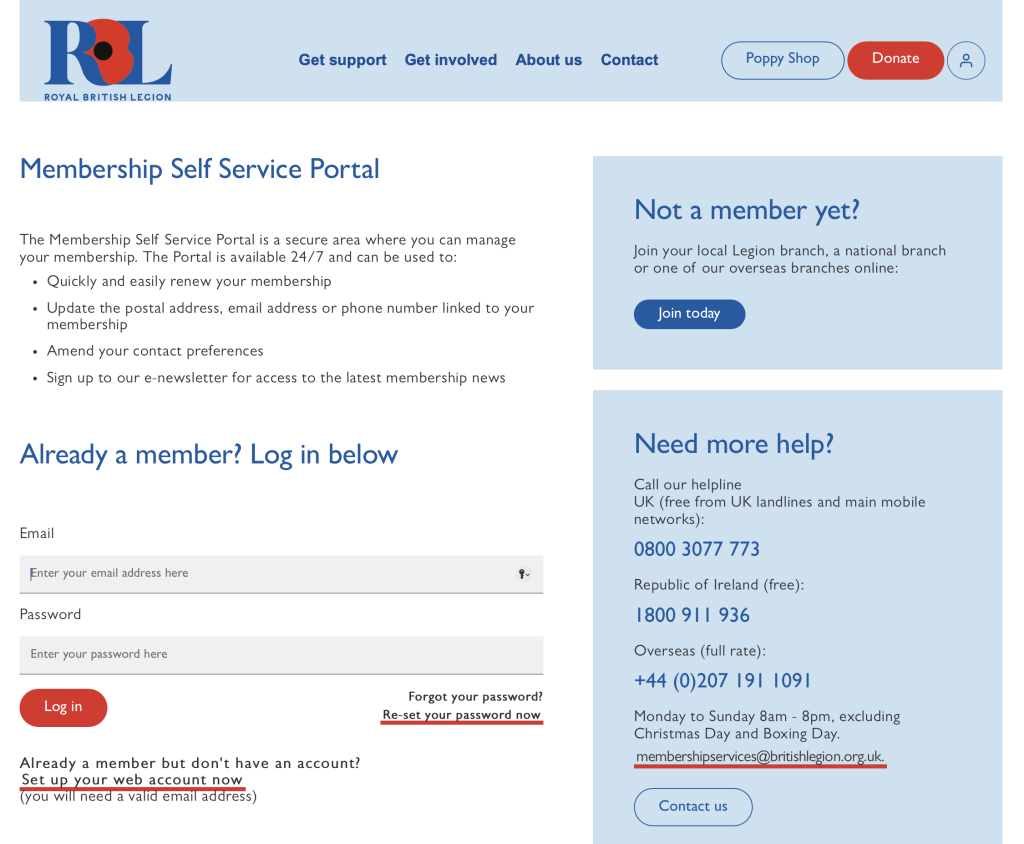
I you cannot remember your password, or If you have tried to access your account and the password you have used is not recognised by the portal you will be locked out of your account until you reset the password.
Click on the “Forgot your password?” link
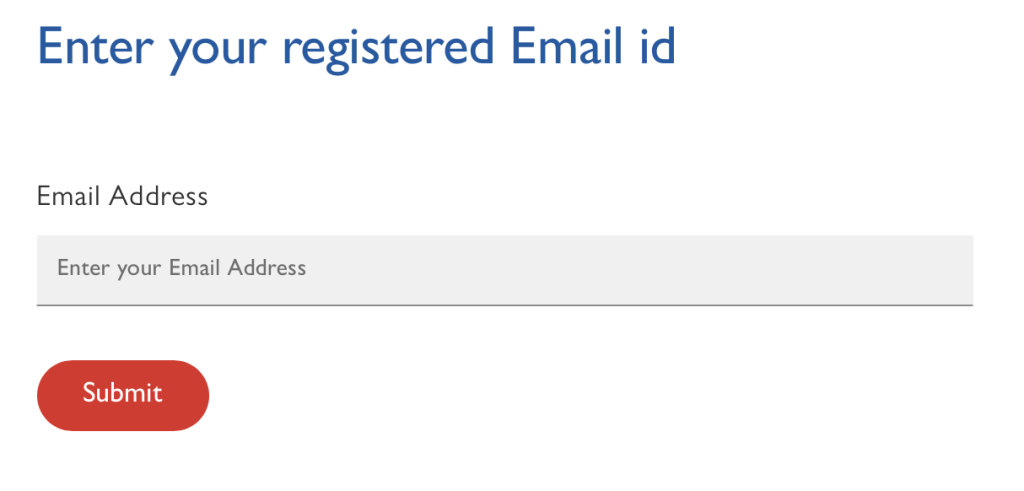
- Enter your email address
- Click Submit
If your email account matches your registered email address you will receive an email with a reset
link. Please note that this link is safe to click.
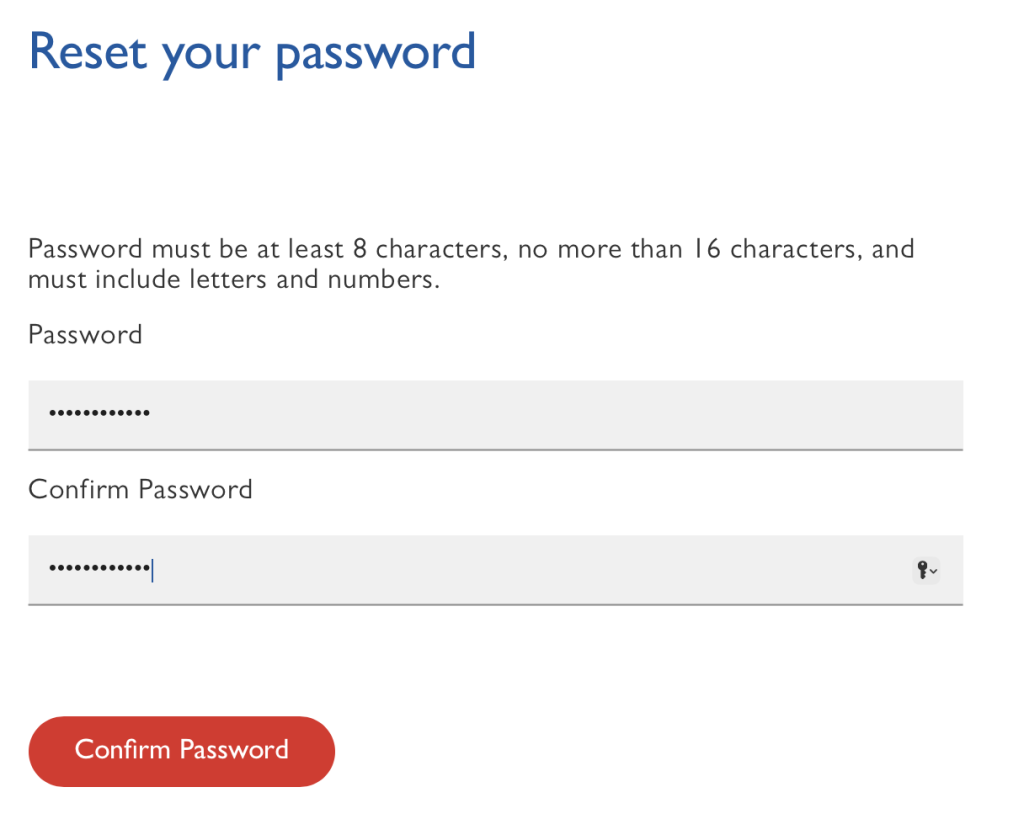
- Enter a new password which must be at least 8 characters, no more than 16 characters and
must include letters and numbers. - Confirm your new password by entering it again below.
- Click confirm password.
Please note: If the passwords do not match you will be prompted to enter them again.
If you need further assistance with your password please call the RBL helpline which is open
Monday to Sunday 8am – 8pm, excluding Christmas Day and Boxing Day.
- UK (free from UK landlines and main mobile networks): 0800 3077 773
- Republic of Ireland (free): 1800 911 936
- Overseas (full rate): +44 (0)207 191 1091
or contact membership services by email: membershipservices@britishlegion.org.uk


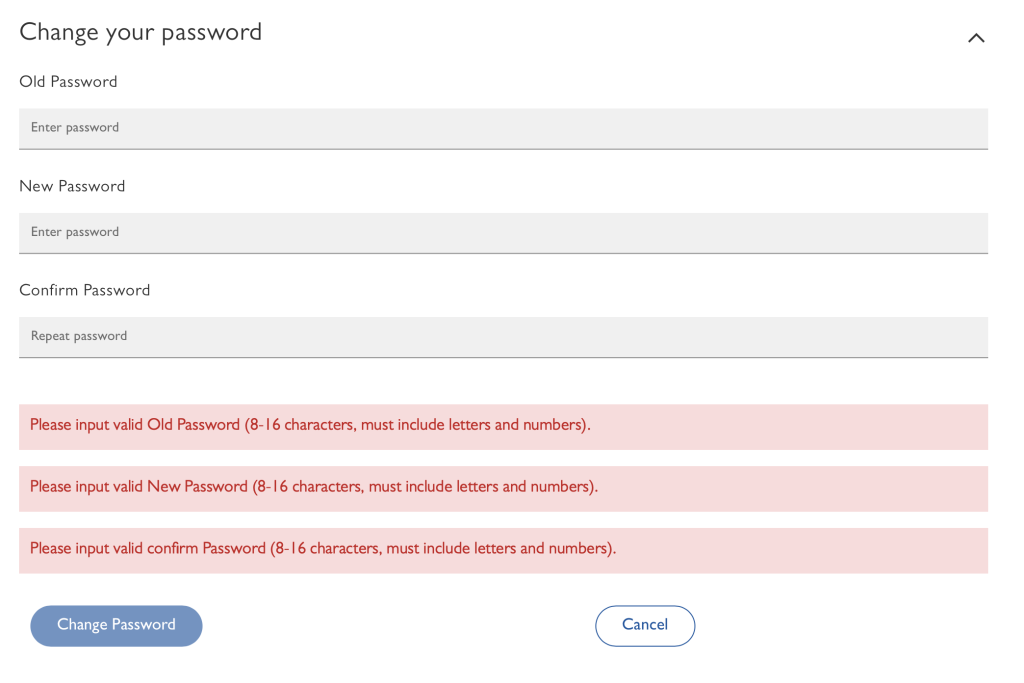
If you need to change your password click on the “Personal Details” tab on the page header and scroll
to the bottom of the page until you find the “Change your password” section.
- Enter your old password
- Enter a new password which must be at least 8 characters, no more than 16 characters and
must include letters and numbers. - Confirm you new password
- Click “Change Password”
Please note: If you make errors during this stage the form will display the errors in red boxes
under the form.
Please note: If the passwords do not match you will be prompted to enter them again.
If you need further assistance with your password please call the RBL helpline which is open
Monday to Sunday 8am – 8pm, excluding Christmas Day and Boxing Day.
- UK (free from UK landlines and main mobile networks): 0800 3077 773
- Republic of Ireland (free): 1800 911 936
- Overseas (full rate): +44 (0)207 191 1091
or contact membership services by email: membershipservices@britishlegion.org.uk

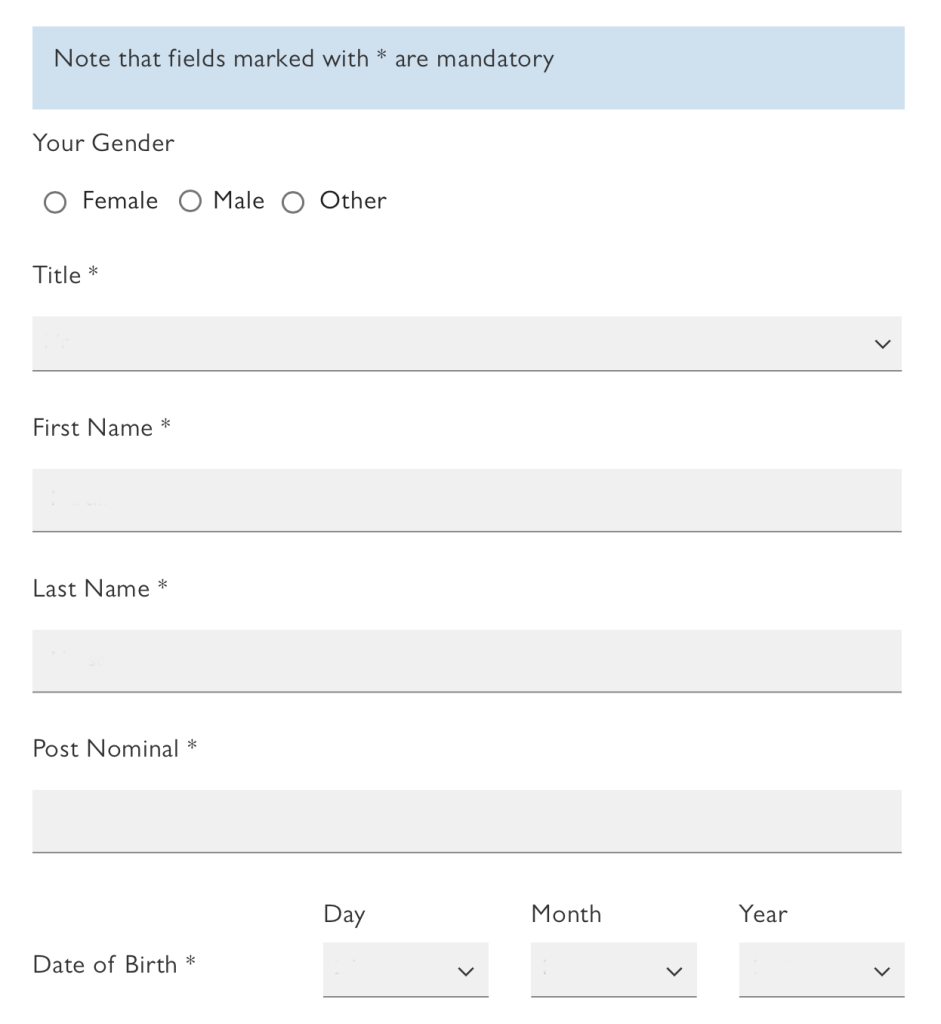
If you need to change your Title, Name/s or Post Nominal click on the “Personal Details” tab on the page.
- Select your Gender
- Enter your Title
- Enter your First Name/s
- Enter your Last Name
- Enter your Post Nominal
- Enter your Day, Month and Year of Birth
- Scroll to the bottom of the page and click Update
Note: A post-nominal is a set of letters placed after a person’s name to show an honour, qualification, award, office, or membership.

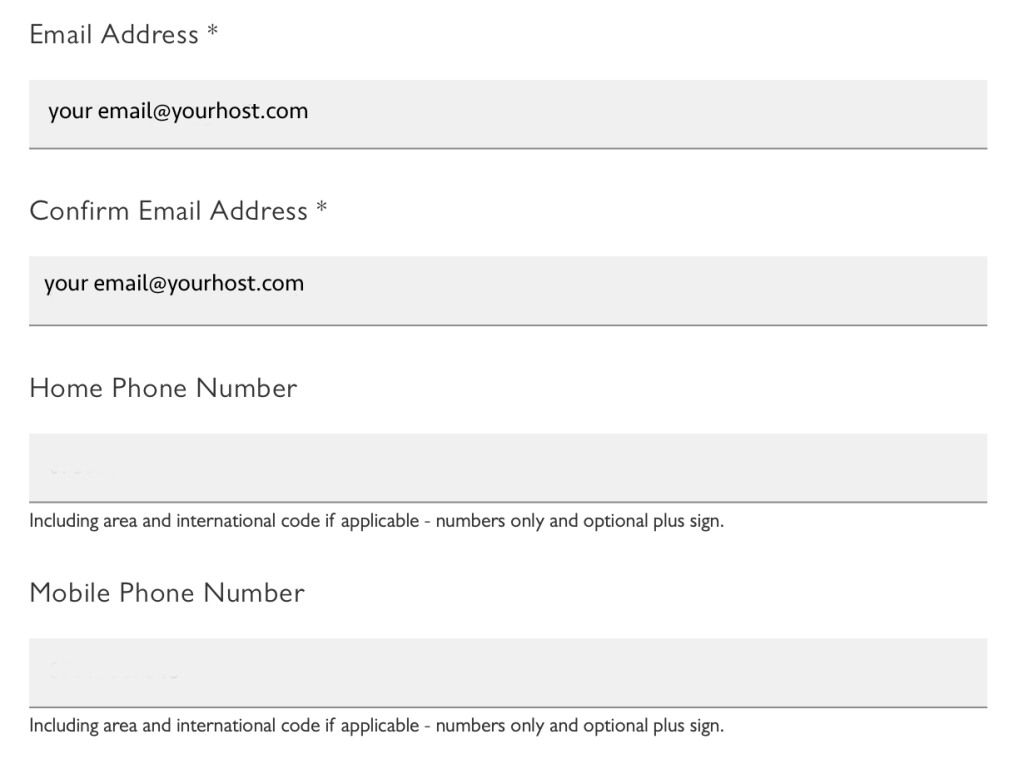
If you need to change your Contact details click on the “Personal Details” tab on the page.
- The email and confirm email fields should be pre-filled with your registered email address.
You can update your email address here or by using the change email function found at the bottom of the page. - Enter your Home Phone Number including UK dialling code. or international dealing code.
- Enter your mobile phone number including UK dialling code. or international dealing code.
- Scroll to the bottom of the page and hit “Update”

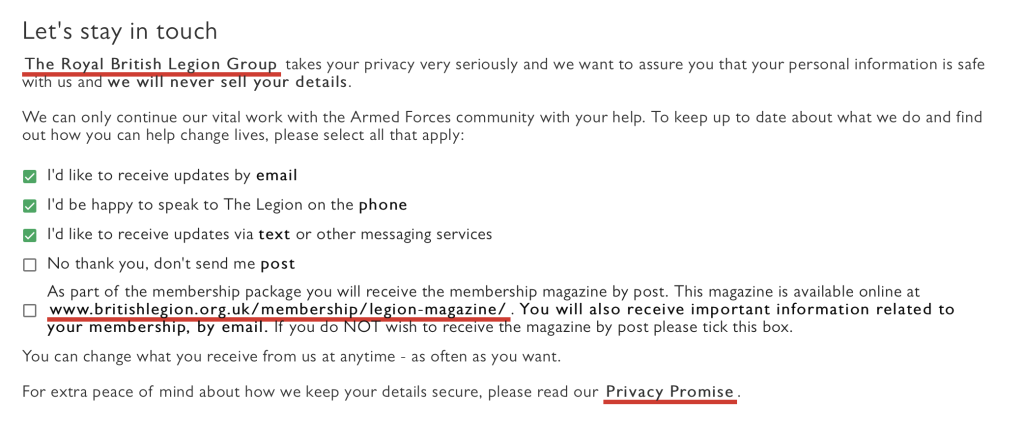
If you need to change your contact details click on the “Personal Details” tab on the page.
Important information is often shared electronically, including branch news, event information, reminders, updates from branch officers, newsletters, and other essential communications. If your contact details are out of date, you may miss information that is important to you and to your involvement in the branch.
Tick those that apply:
- I’d like to receive updates by email
- I’d be happy to speak to The Legion on the phone
- I’d like to receive updates via text or other messaging services
- No thank you, don’t send me post
- As part of the membership package you will receive the membership magazine by post. This magazine is available online at www.britishlegion.org.uk/membership/legion-magazine/. You will also receive important information related to your membership, by email. If you do NOT wish to receive the magazine by post please tick this box
- Scroll to the bottom of the page and click “Update”

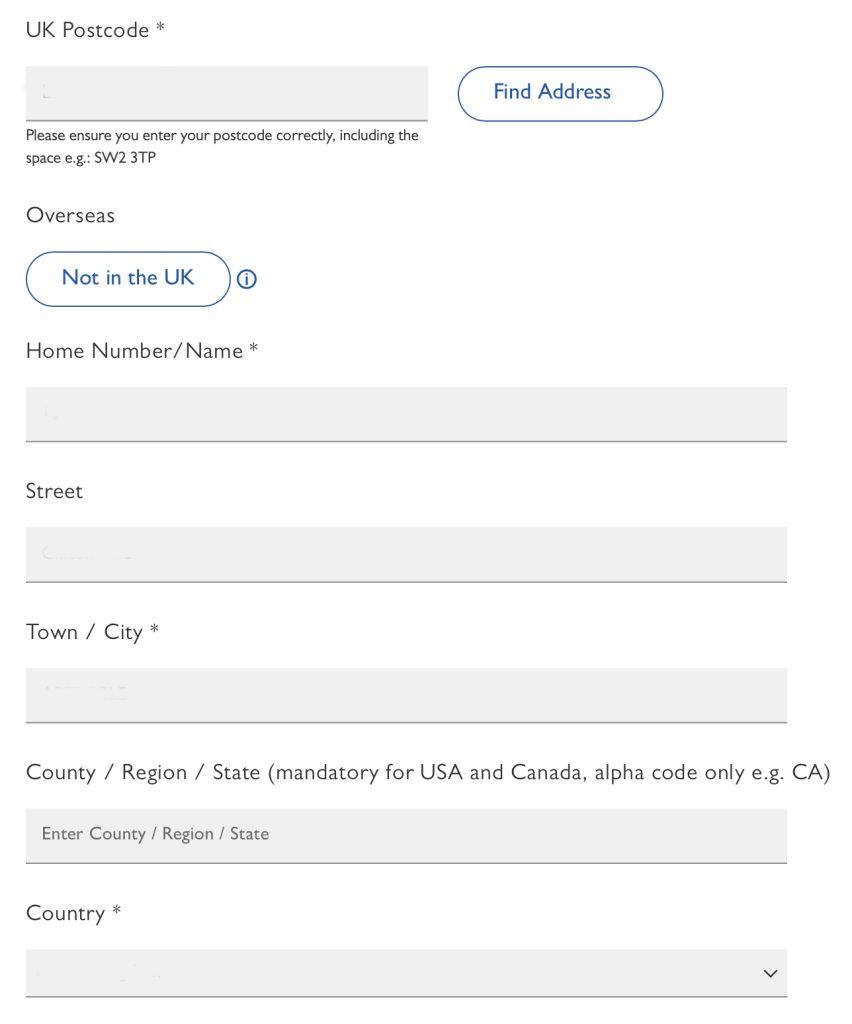
If you move home and need to change your address details click on the “Personal Details” tab on the page. If you have opted to receive the RBL magazine, move home and fail to update these details then you will not receive your magazine or other mail from the British Legion.
- Enter your UK Postcode in the format XXnn <space> nXX
- Click “Find Address”
- Select your address from the list.
If you reside overseas click “Not in the UK”
- Enter your house number /name
- Enter your Street Name
- Enter your Town or City
- Enter your County / Region or State
- Enter your Country
- Scroll to the bottom of the page and hit “Update”

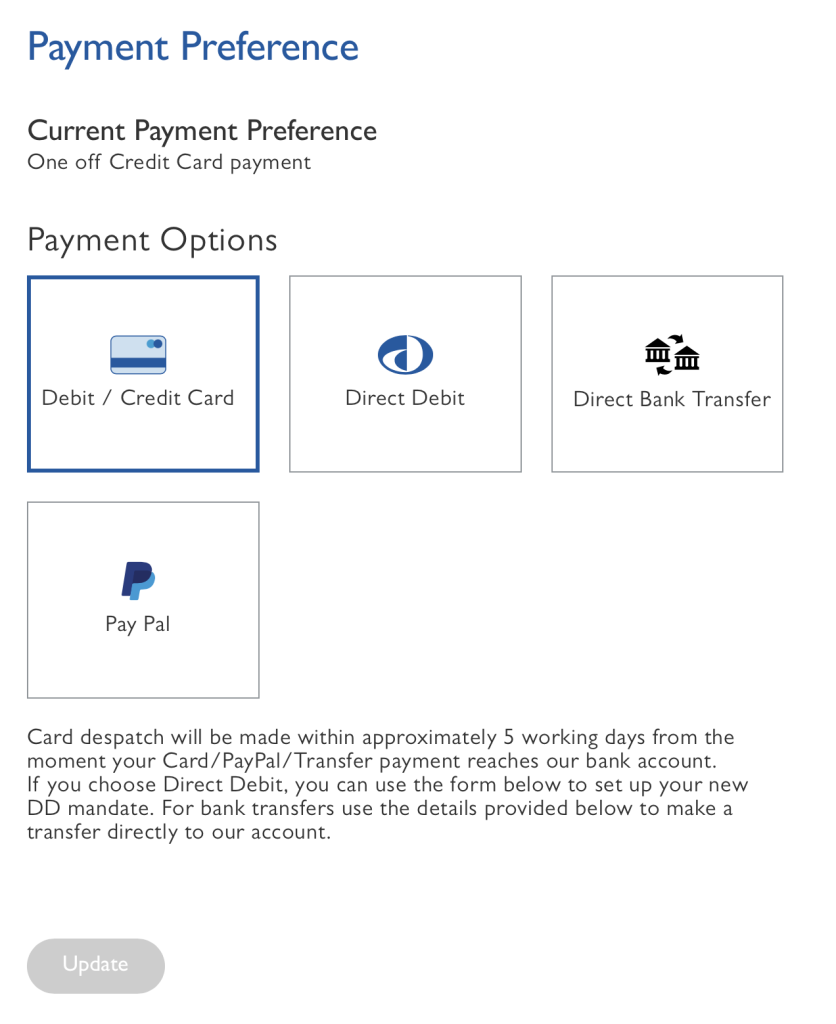
If you need to change your payment details select the “Payment Preferences” tab on the page header
- Click Payment options
- Follow the online instructions
- Click Update

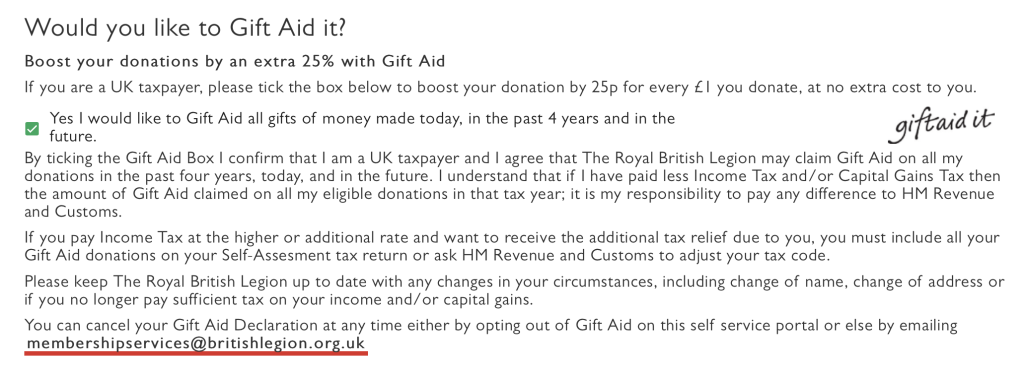
If you are a UK taxpayer, please tick the box below to boost your donation by 25p for every £1 you donate, at no extra cost to you. Select the “Personal Details” tab on the page header
- Select or De-Select the Gift Aid agreement button as applicable
- Scroll to the bottom of the page and hit “Update”

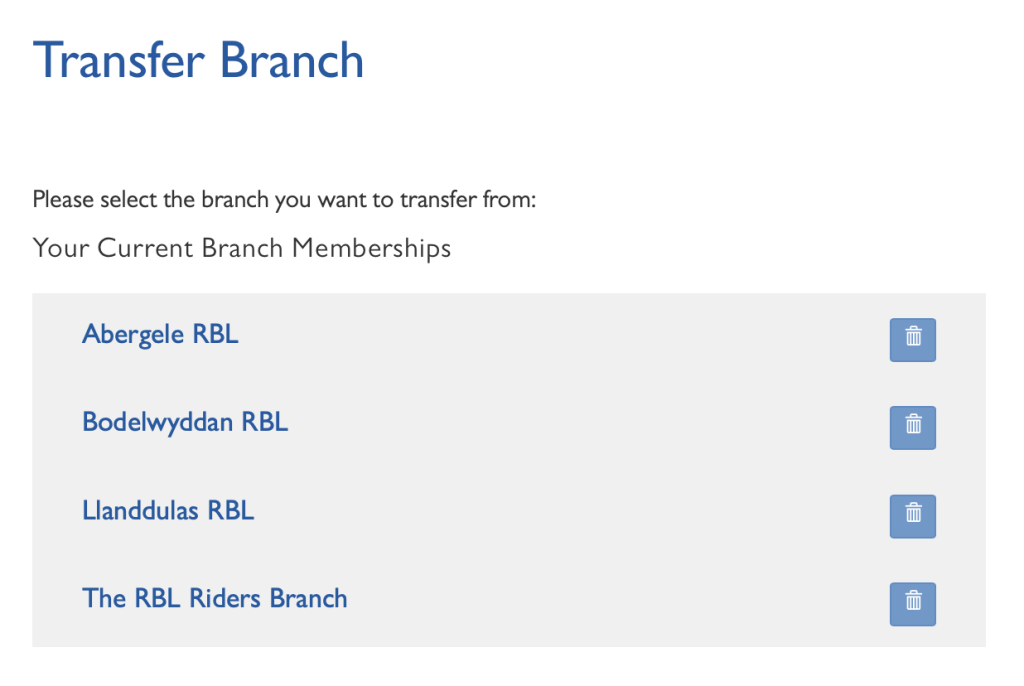
You can join up to four branches, local or national. So for example you could join two RBL clubs near you and the Riders Branch. If you wish to change, remove or add branches click on the “Transfer Branch” tab on the page header.
You will see a box indicating what branches you are currently a member of.
- To remove a branch click on the dustbin icon
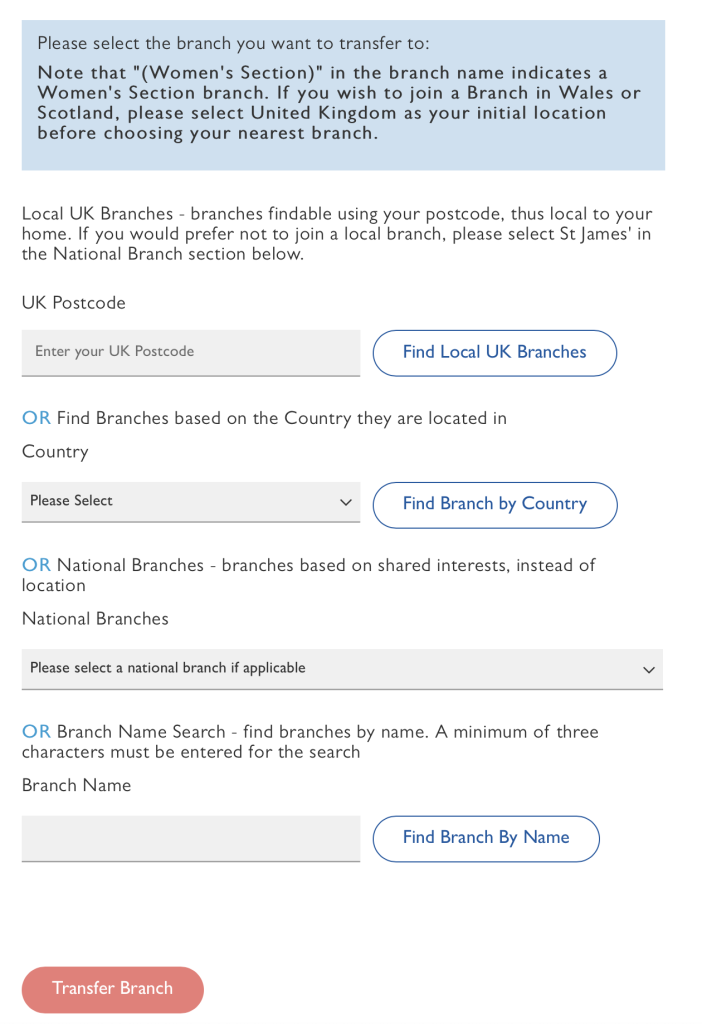
If you enter your postcode and click “Find local UK Branches” you will be shown a list of branches close to your registered address.
Or you can search for branches by country
Or you can search for National branches by clicking on the “Please select a national branch if applicable” button. Simply click on the branch that you wish to join.
Or you can search for branches by name. Please enter at least three letters of the branch name and hit [ENTER]
Don’t forget, you can join up to four branches, local or national. So for example you could join two RBL clubs near you and the Riders Branch.
- Hit “Transfer Branch”
Please note: You MUST join at least one branch to be a member of The Royal British Legion. Be part of the best branch, click The RBL Riders Branch

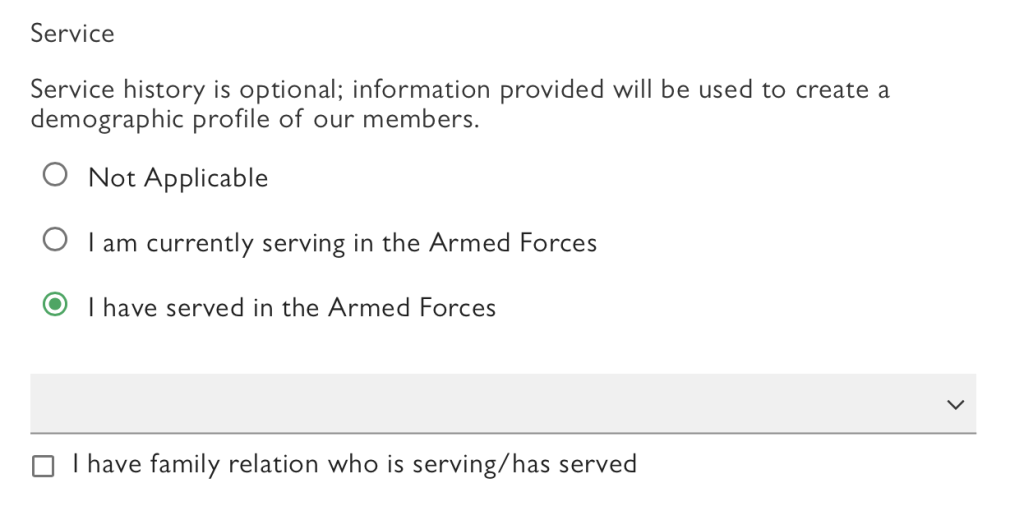
You can change your service status, for example if you have recently left or joined the Navy, Army, RAF etc. Select “Personal Details” on the page header and scroll down the page until you see “Service”
- Select the applicable button
- Scroll to the bottom of the page and click “Update”

On the Membership Summary page you will see a summary of all of your selected options. Please check this page carefully and amend by following the instructions on this page if applicable.

If you need more help with any aspect of your membership details you can call the British Legion helpline:
- UK (free from UK landlines and main mobile networks): 0800 3077 773
- Republic of Ireland (free): 1800 911 936
- Overseas (full rate): +44 (0)207 191 1091
They are open Monday to Sunday 8am – 8pm, excluding Christmas Day and Boxing Day.
Or you can email membership services at membershipservices@britishlegion.org.uk
Membership services are also available via online chat: https://www.britishlegion.org.uk/contacts/contact-centre